Clevr 24V AC / 4 Valve / Irrigation controller
Pre-release. The Clevr Irrigation Controller is still being finished and tested. Details on this page may change before it ships.
A Wi-Fi controller for standard 24 V AC irrigation valves (GARDENA 1278 family and Hunter-style solenoids), built around an ESP32 (an ESP32-C3 on the THT board, the more powerful dual-core ESP32-WROOM on the SMD board) and powered from your existing irrigation transformer. It waters on its own schedule: programs, queue and history live in the controller itself, so nothing needs a cloud account, a phone app or Home Assistant to water your garden. The firmware is closed source and built on ESP-IDF, Espressif’s own framework for the ESP32.
Four zones, one brain
- Four zones for standard 24 V AC valves on the THT board, up to eight on the SMD board, with up to two valves running at the same time.
- Programs: up to 8, each with its days, a start time and steps (a zone and minutes). A seasonal adjustment (%) can be set per program and globally.
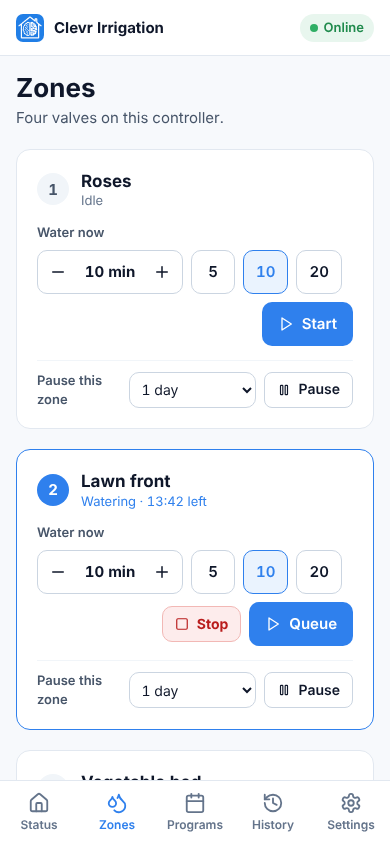
- Water by hand: start any zone for a chosen time, stop one zone or everything, switch watering off with a master switch, or test all zones.
- Pause a zone for 1, 3 or 7 days, or until you resume it. Programs skip it; you can still water it by hand.
- History: every run is stored in the controller, with 7 and 30 day totals.
- Local only: everything runs on your home network. No Clevr account and no internet connection are needed.
One display or two
Plug a 0.96″ 128×64 I²C OLED into the board’s I²C display header (3V3, GND, SDA, SCL). The controller finds its displays by itself; there is nothing to set. The OLED is for a quick look: everything on it can also be done from the web page or Home Assistant. Its text is in English.
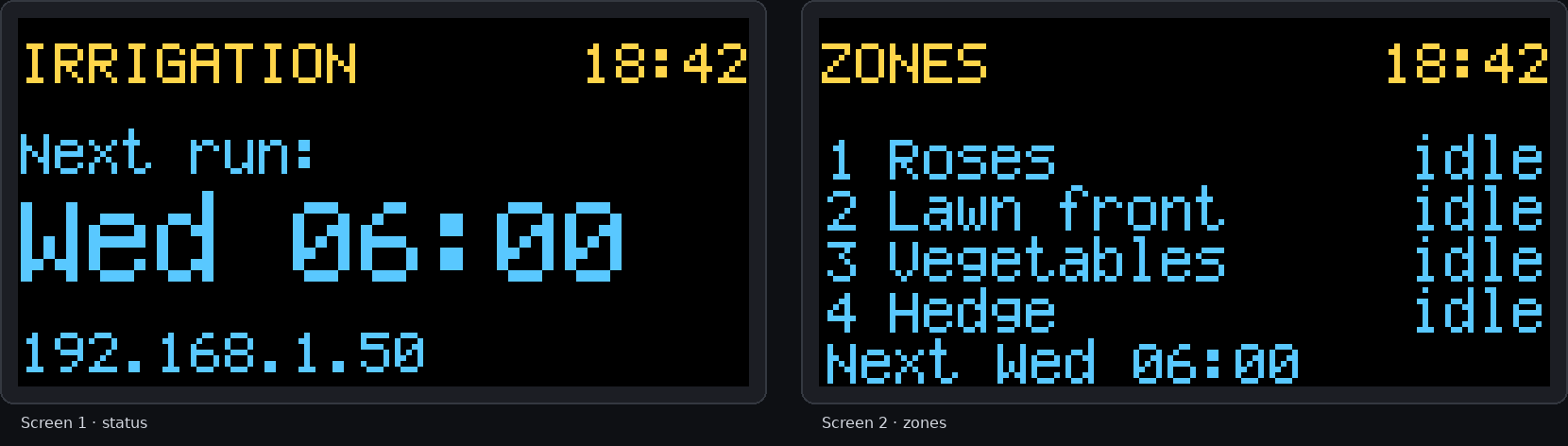
One display: the status view
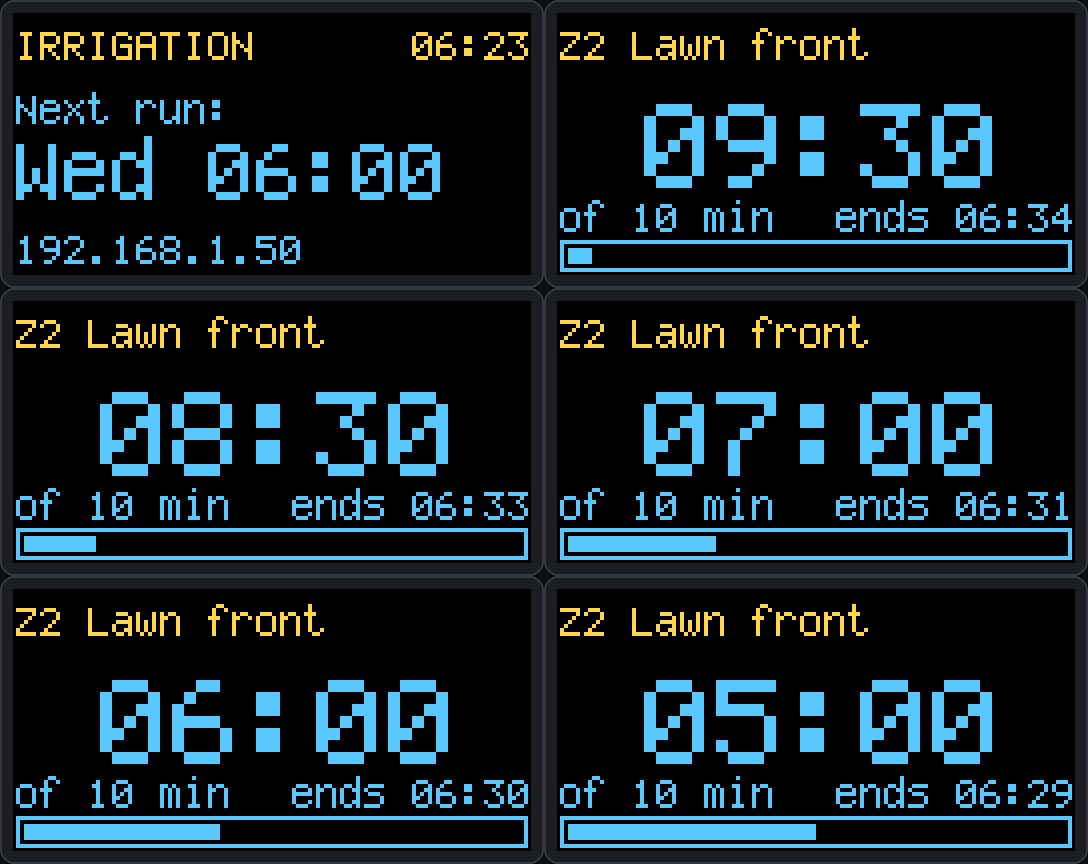
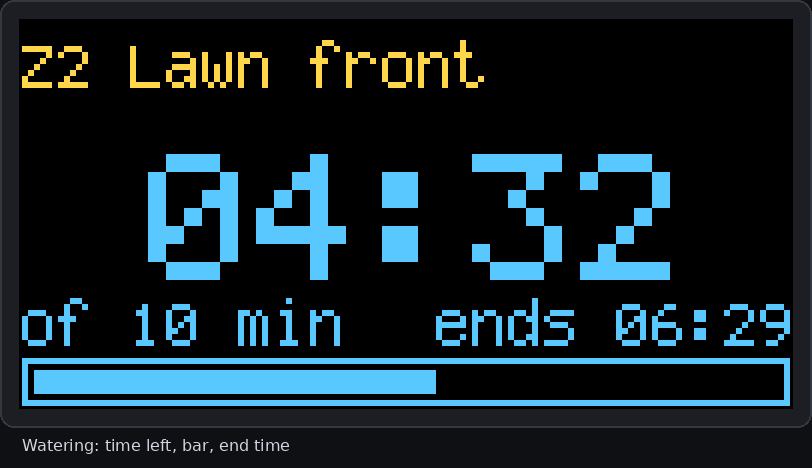
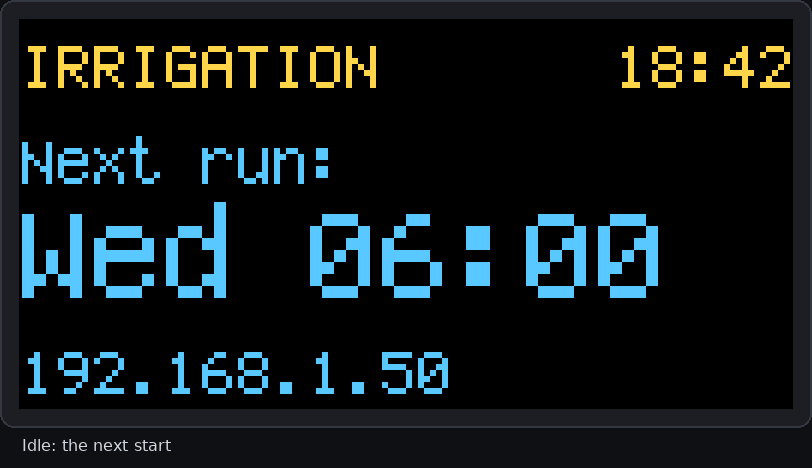
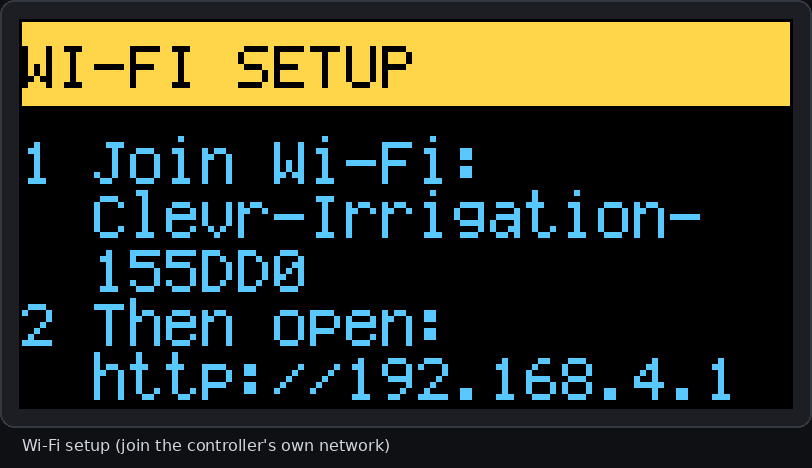
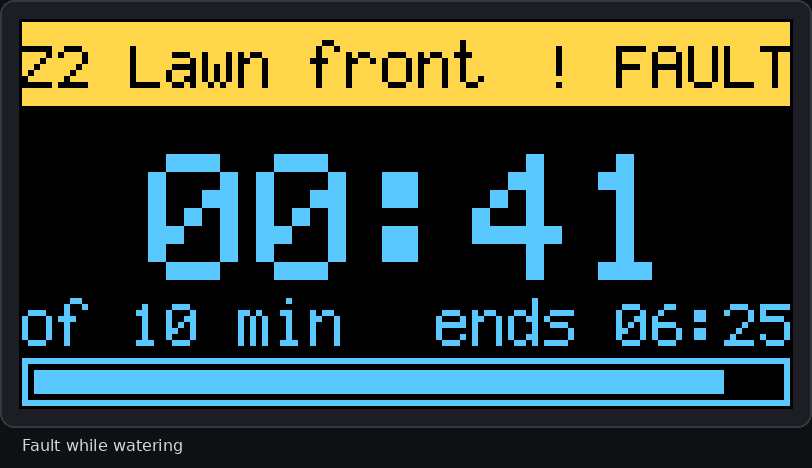
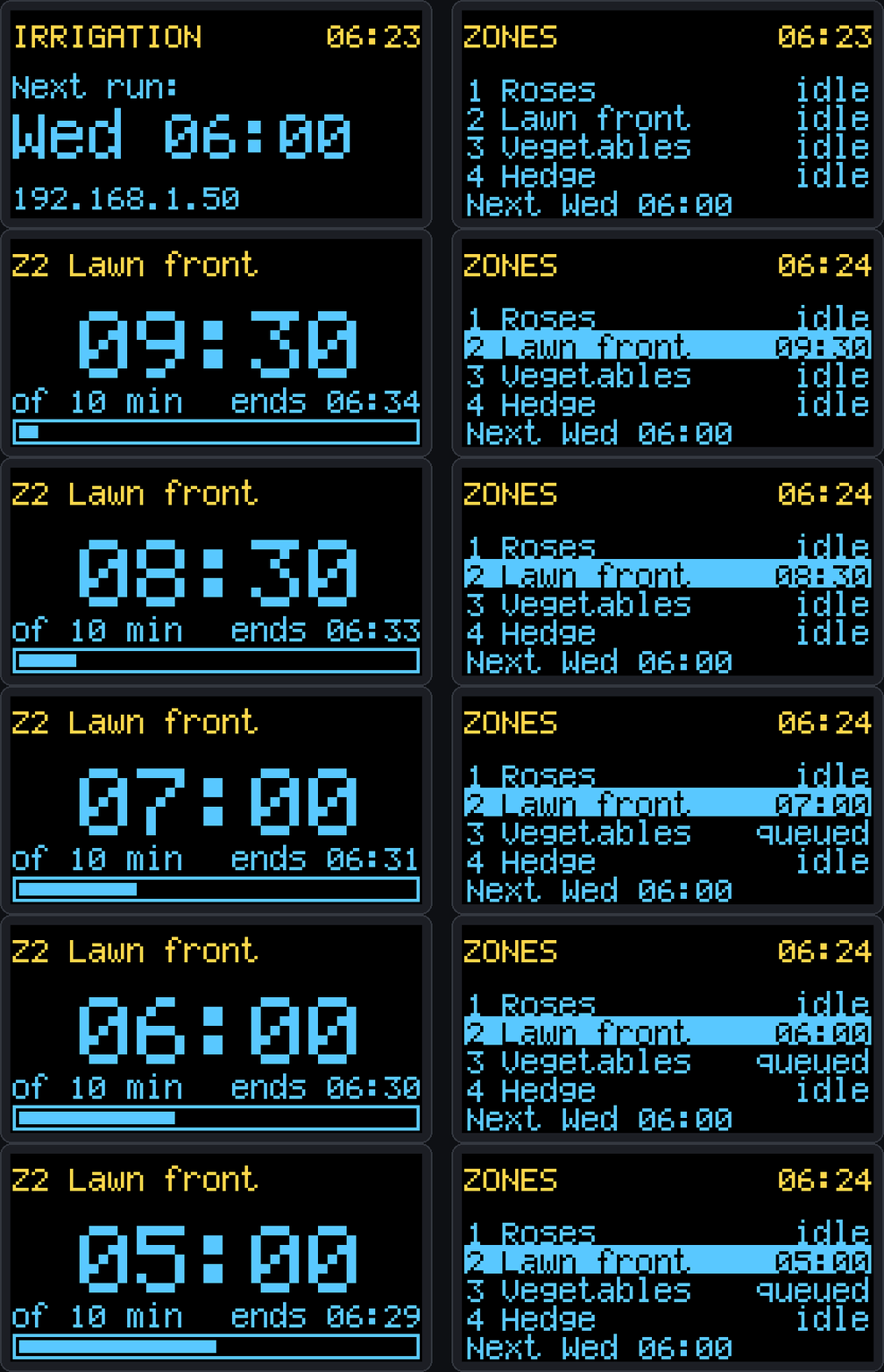
When idle it shows the next start. While watering it shows the zone name, time left, a progress bar and the end time. It also shows master off, clock not set, Wi-Fi setup, a fault, and start-up.
Two displays: status and zones
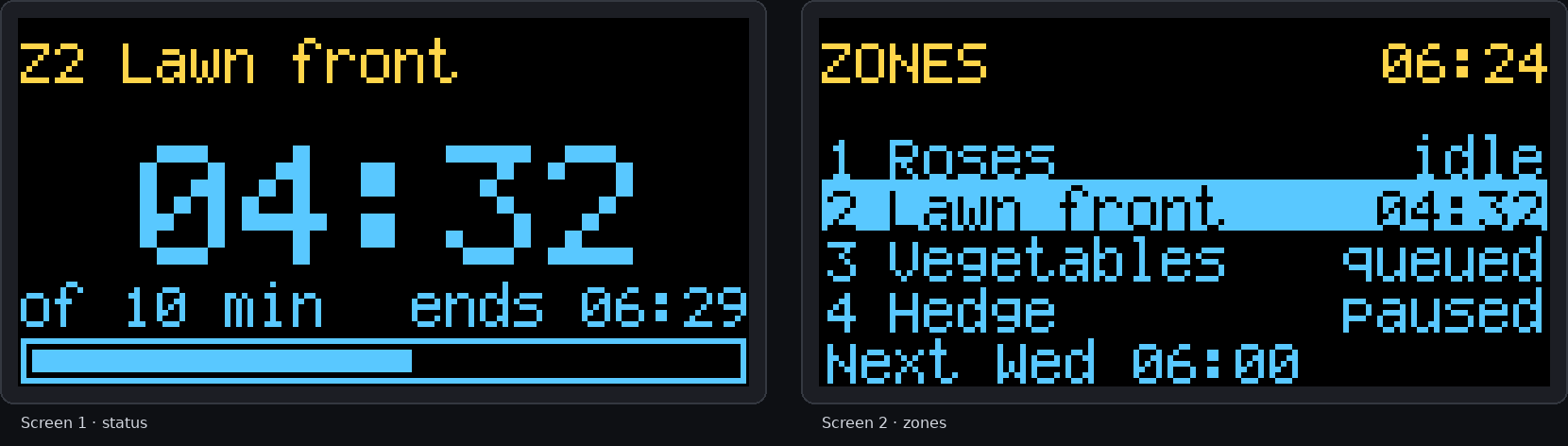
With a second OLED, screen 1 stays the status view and screen 2 lists the four zones: number, name and state. A running zone is highlighted with its time left; the others show queued, paused or idle, with the next start underneath. Two displays connect through a small I²C multiplexer board (TCA9548A), which the controller detects by itself.
Set up and control everything from your browser
The controller has its own small web server. Open its address on a phone or computer and you can configure and run everything: no app, no internet and no extra software. The pages are stored in the controller and are in English, Romanian, German, Spanish, Italian, Dutch or French.
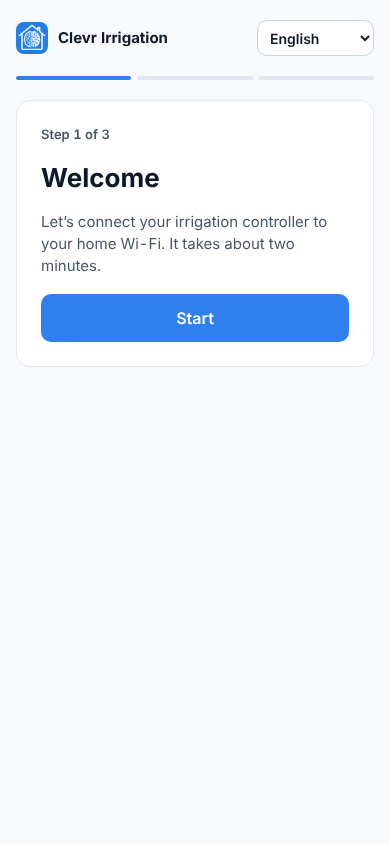
A three-step setup wizard
A new controller starts its own Wi-Fi network. Join it with your phone, pick your home network and you are done in about two minutes. The controller remembers your last three networks and falls back to an older one if a new password was typed wrong.
Five pages
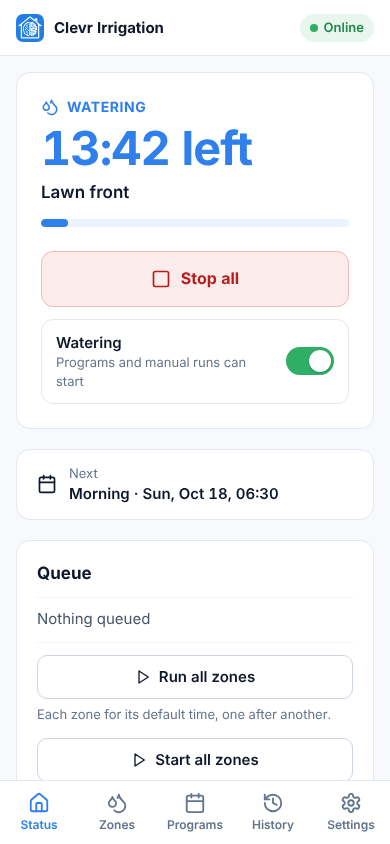
Status (what is running, time left, Stop all, the master switch, the next program and the queue), Zones, Programs (switch, edit, Run now, seasonal adjustment), History and Settings (zone names, default times, Wi-Fi networks, the clock). A sidebar on a computer, tabs along the bottom on a phone.
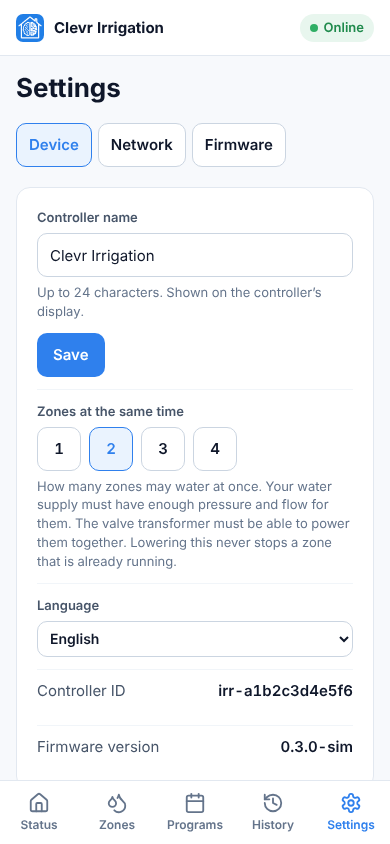
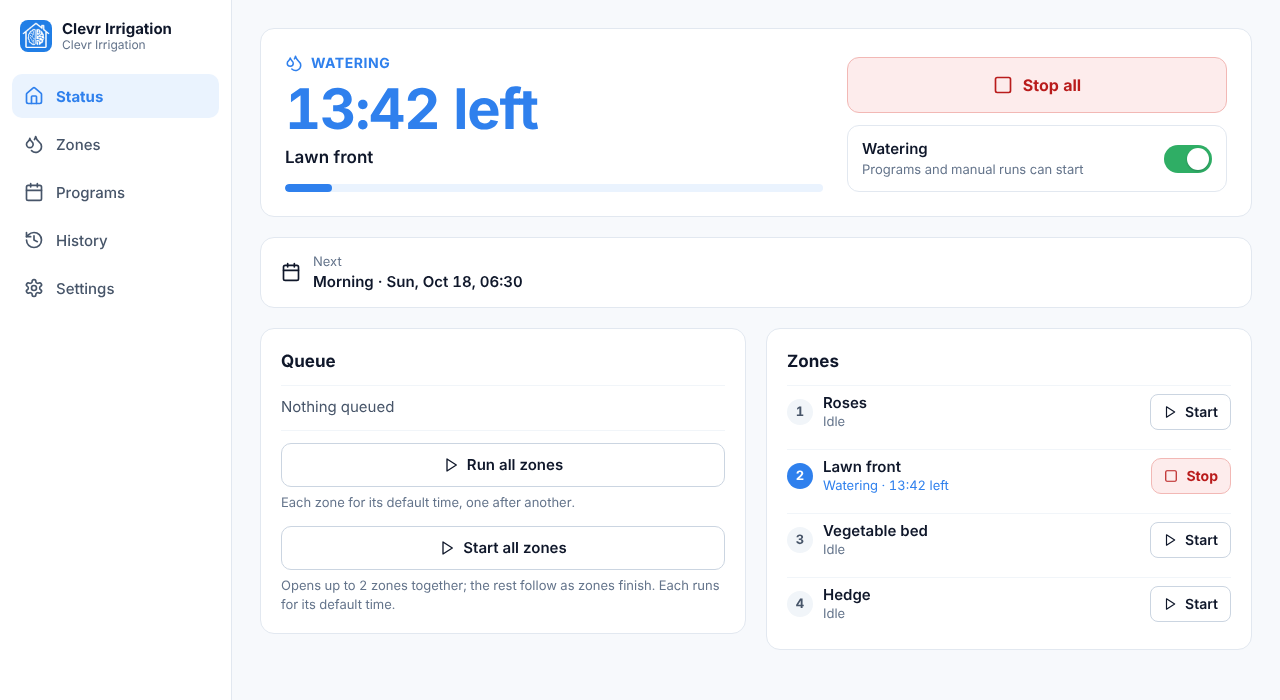
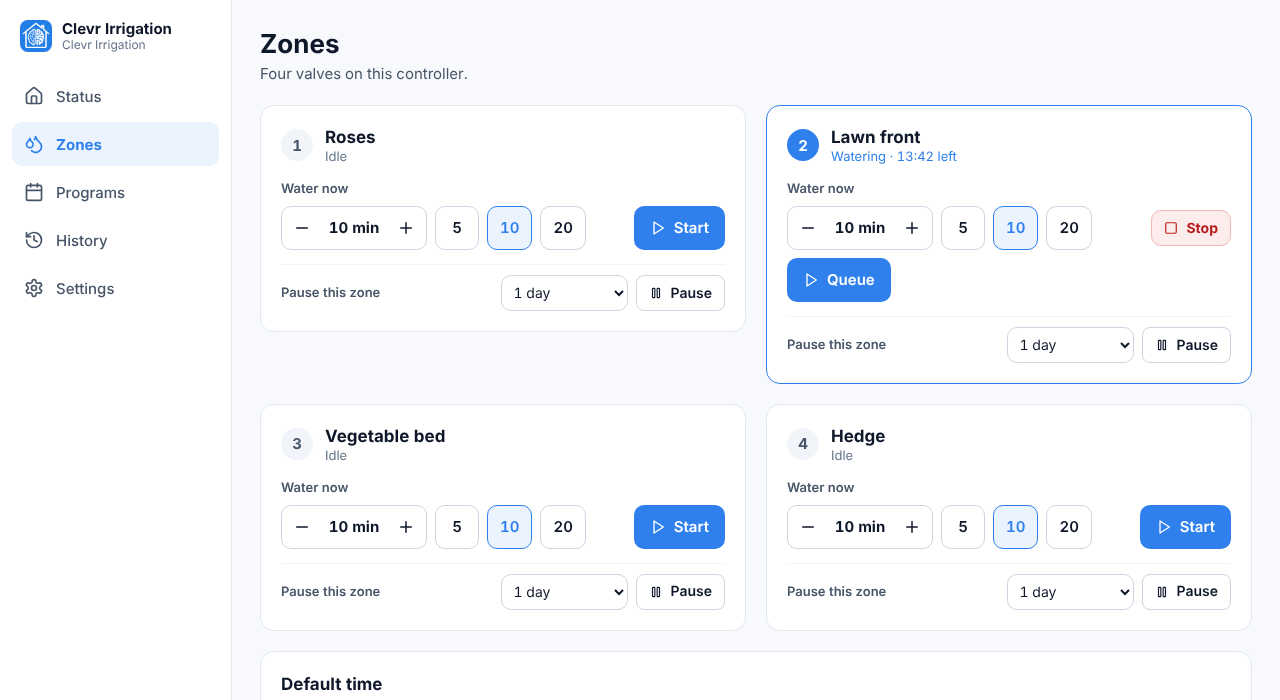
Home Assistant, as a friend
The controller waters whether or not Home Assistant is running. The integration shows its state and sends it commands; if Home Assistant, its network or its database is gone, nothing starts, stops or repeats by accident.
The clevr_irrigation custom integration is open source, even though the controller firmware is not. It finds the controller by itself (mDNS) or by its IP address and talks to it locally over a single WebSocket. It needs Home Assistant 2026.2 or later and can be installed from HACS or by copying a folder.
- Valves (one per zone), a Watering master switch, a switch and a Run button for every program, Stop all and Test all zones.
- Numbers for the default time per zone, zones at once, seasonal adjustment and the “Water now” duration.
- Sensors for the state, next run, when each zone finishes, the last run, minutes watered in the last 7 and 30 days per zone, Wi-Fi signal and clock quality, plus connected, watering and fault indicators.
- Services and events for automations: water a zone for N minutes, suspend, resume or stop a zone, run a program, set the adjustment, and a
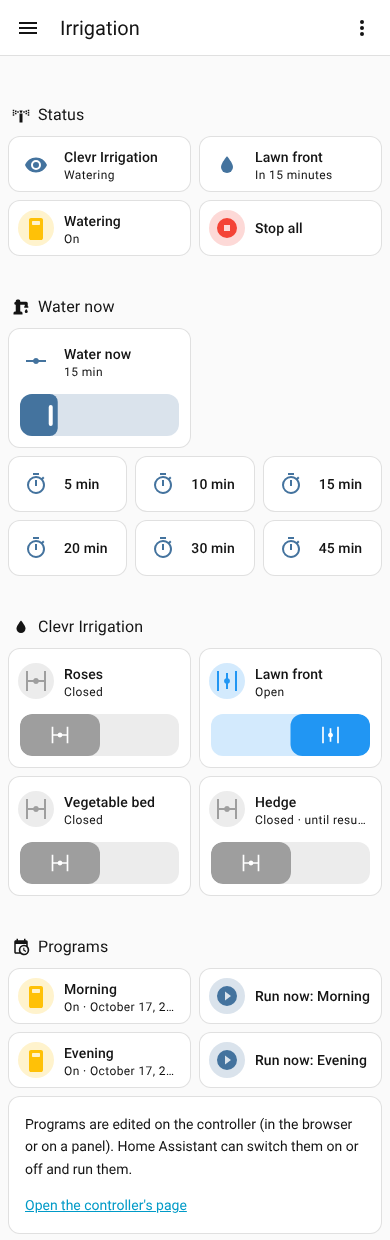
clevr_irrigation_run_finishedevent. - A dashboard built for you. One service writes a ready-made dashboard with status, water now, a section per zone, programs, history and tools, in English, Romanian or Spanish.
The generated dashboard
Three steps: add the integration in Home Assistant, let it find your controller, then call build dashboard. Valves show what the controller commands; the controller has no flow or position sensor.
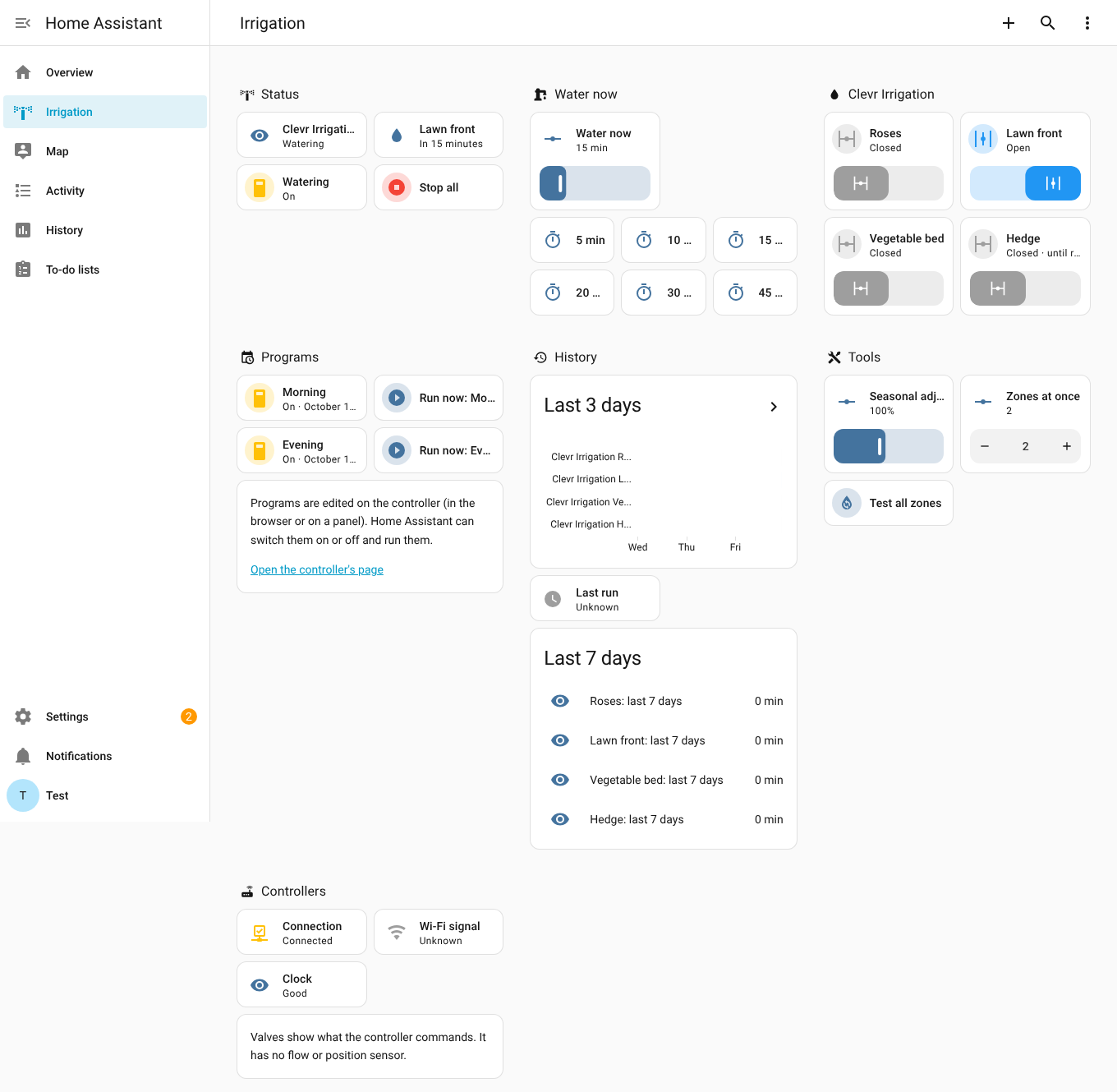
Just as good on a phone
The same dashboard on a phone-sized screen.
Never depends on it
- It waters on its own, without Home Assistant.
- A start command is never repeated by the integration after a lost answer, so a bad Wi-Fi moment cannot start a zone twice.
- Nothing starts when Home Assistant restarts.
Two versions of the board
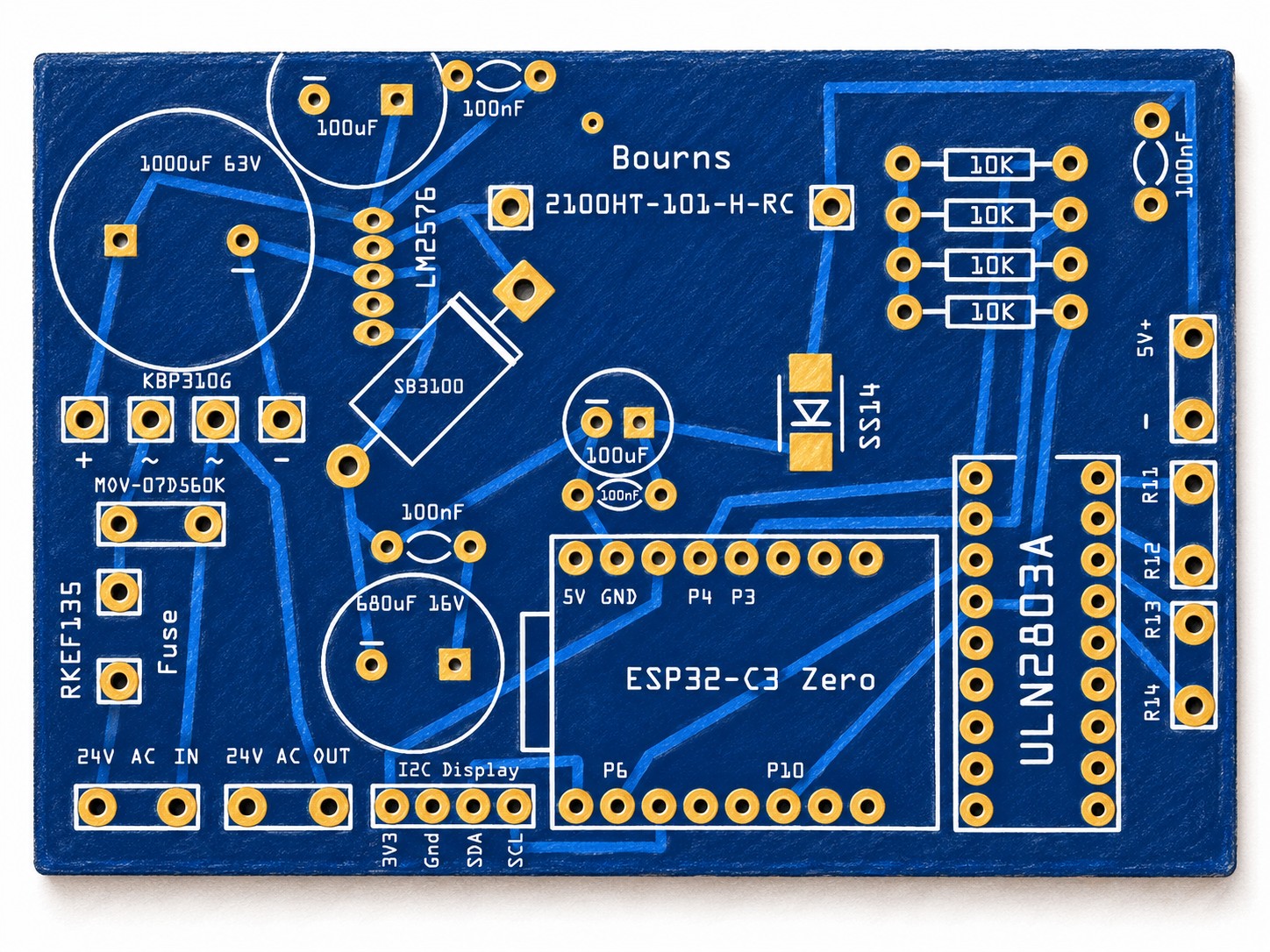
THT · bare PCB
Want control, with larger parts that are easy to replace? Choose THT. You order the bare board on its own and solder the through-hole parts yourself.
24 V AC from your irrigation transformer powers both the valves and the electronics. For the logic it goes through a fuse and MOV, a bridge rectifier and an LM2576 buck regulator down to a stable 5 V for the ESP32-C3. The ESP32-C3 runs the Clevr Irrigation firmware (closed source, built on ESP-IDF) and handles scheduling, the web server and Wi-Fi; a ULN2803A driver controls an external 4-relay board, which switches the 24 V AC to each valve.
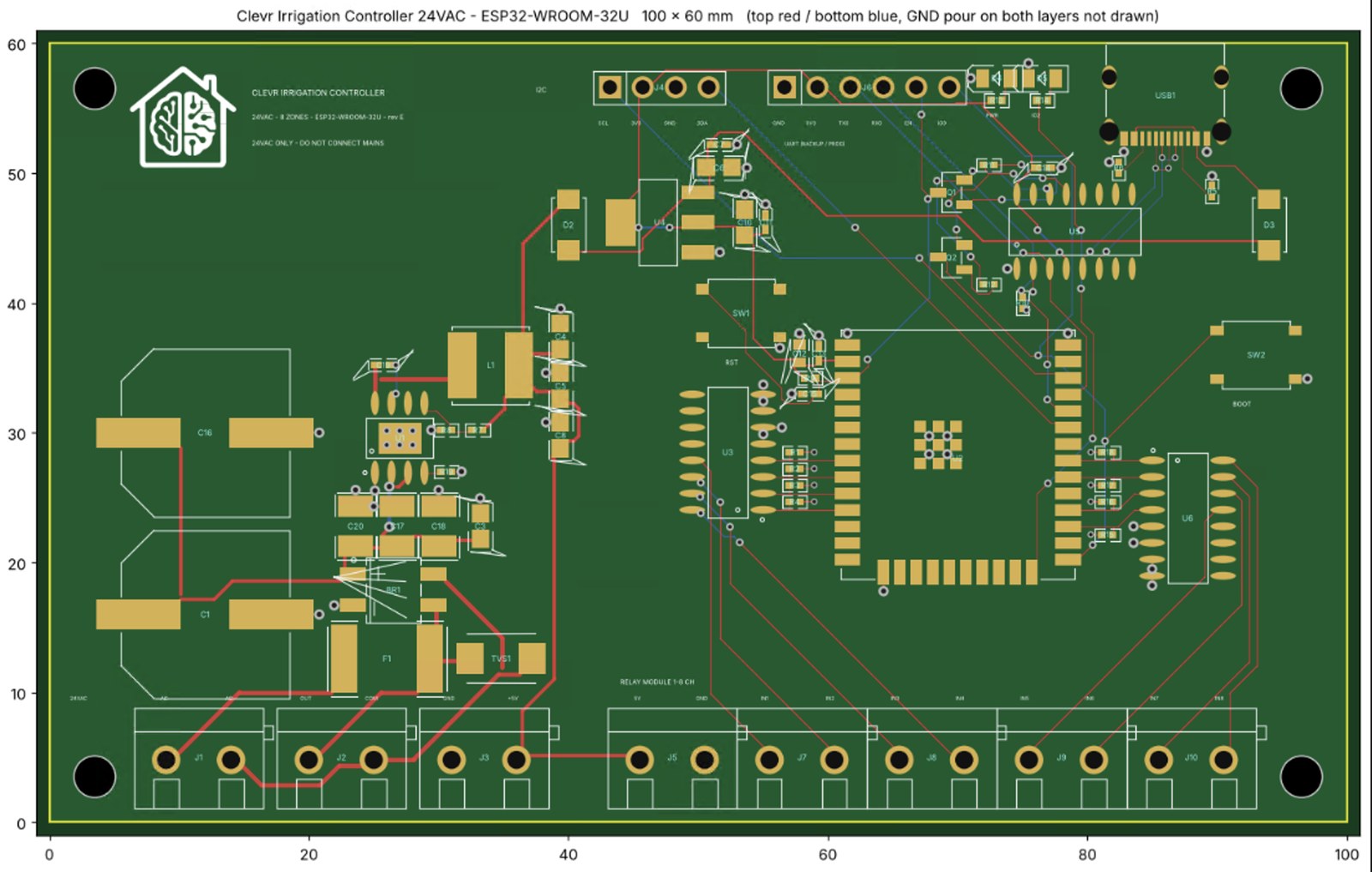
SMD · pre-soldered
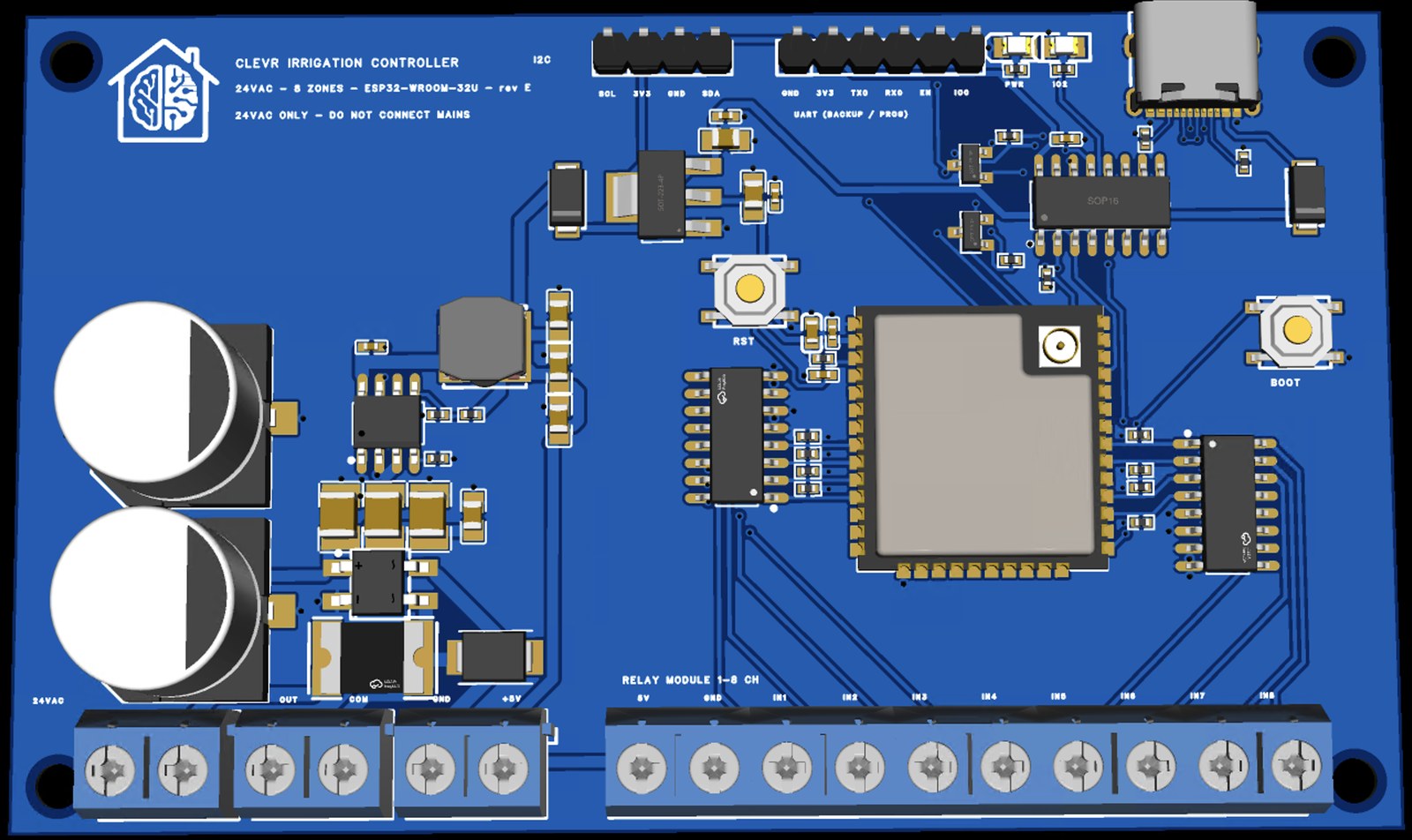
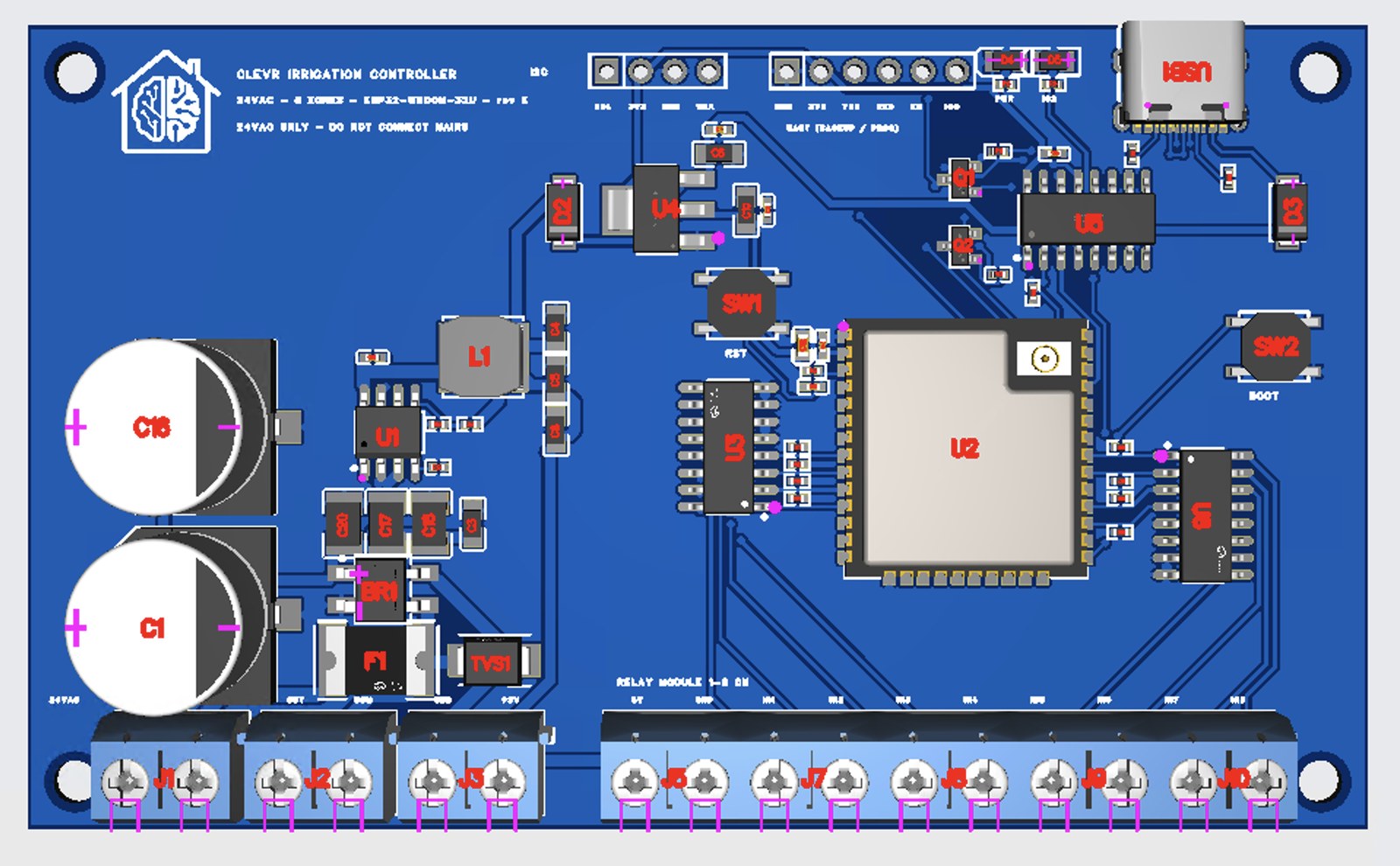
Want speed, and to write the firmware straight away? Choose SMD. The board arrives assembled with surface-mount parts and a USB-C port: connect it and flash the firmware directly.
It runs on a more powerful ESP32-WROOM (dual-core) instead of the ESP32-C3 and drives up to 8 valves instead of 4. The ESP32-WROOM-32U module has a U.FL connector for an external Wi-Fi antenna, and the board adds reset and boot buttons, screw terminals for the 24 V AC and a connector for the external relay board. Like the THT board, it runs on 24 V AC only and must never be connected to mains.
What it needs, and what it doesn’t
- It needs: a 24 V AC irrigation transformer, 24 V AC valves, an external relay board (4 channels for the THT board, up to 8 for the SMD board), and Wi-Fi at home. With the THT board, also the parts to solder onto it.
- It does not need: a cloud account, a phone app, Home Assistant, or a display.