

Victron GX Replacement – 4 inch
A 4-inch wall panel for Victron solar installations. Built with ESPHome and LVGL for the Guition ESP32-S3-4848S040 (4-inch, 480 × 480) touch display, it shows live data from your Victron GX device and Home Assistant: where every watt comes from and where it goes.
Why replace the stock GX display?
Interactive, not view-only
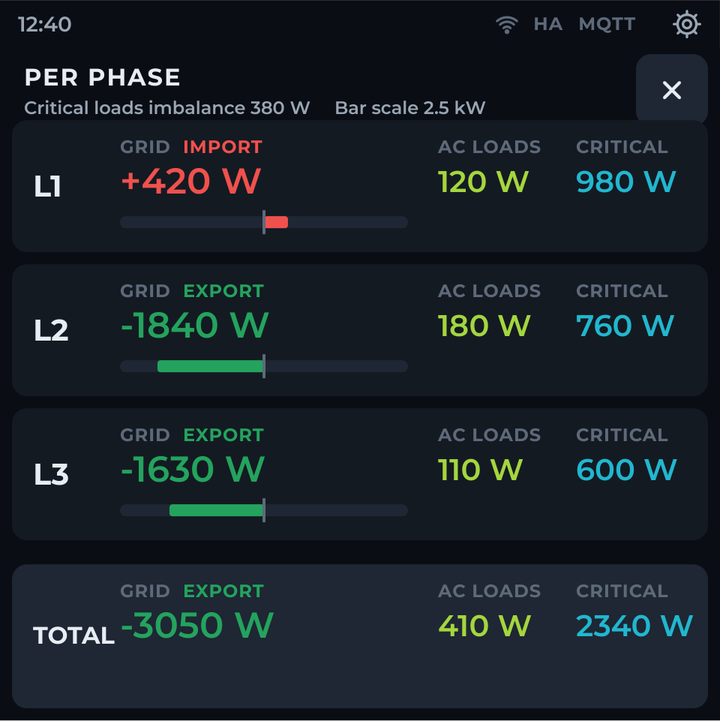
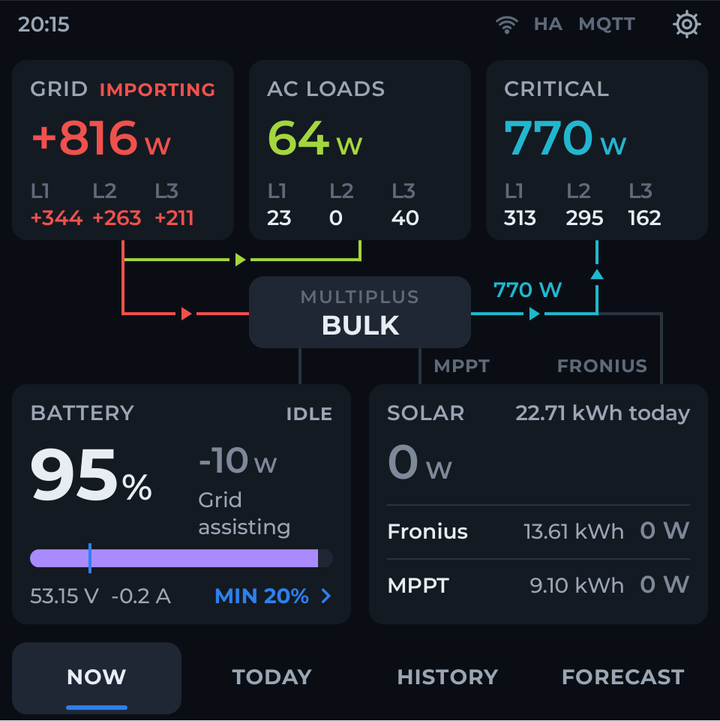
Tap the grid or load cards for a per-phase breakdown, or tap the battery card for battery settings. On the stock GX overview the cards can’t be tapped, and everything else is reached through menus.
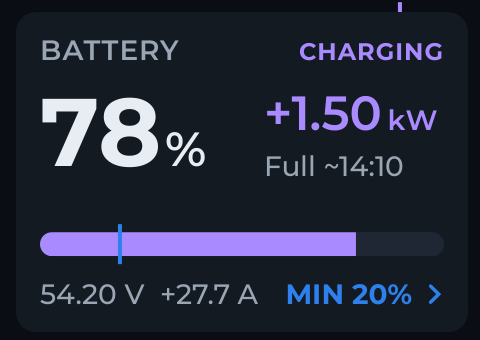
Battery time to full or empty
Shown on the main screen next to charge state, SOC, power, voltage and current, with your minimum SOC marked on the battery bar.
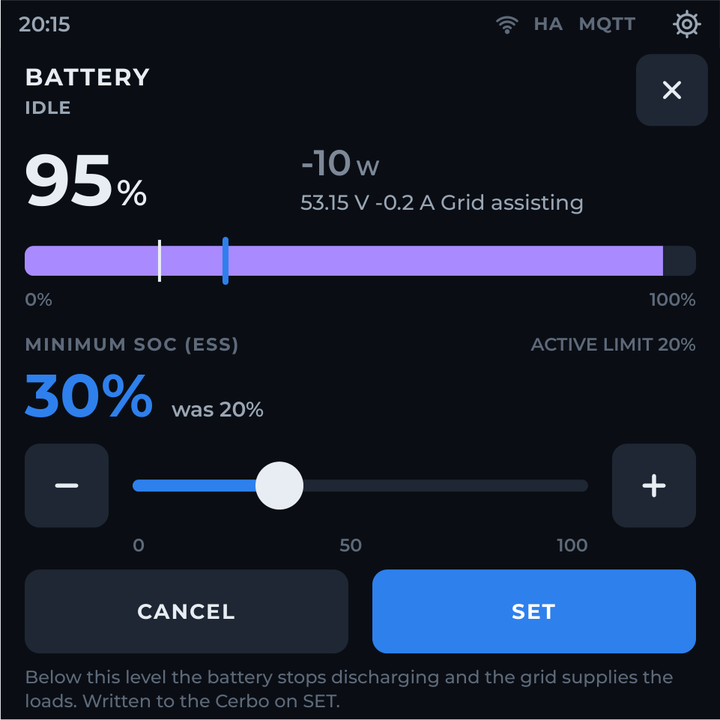
Minimum SOC in one tap
Adjust the ESS minimum SOC from the battery card. The new value is shown next to the active one and is only written to your GX device when you press SET.
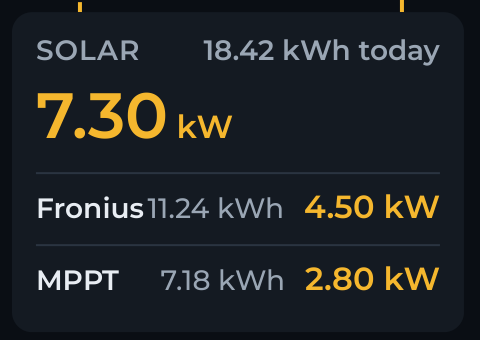
Solar yield per source
Every PV inverter and solar charger shows today’s kWh next to its live power, plus the combined solar total. The stock overview shows live watts only.
See AC solar feeding back
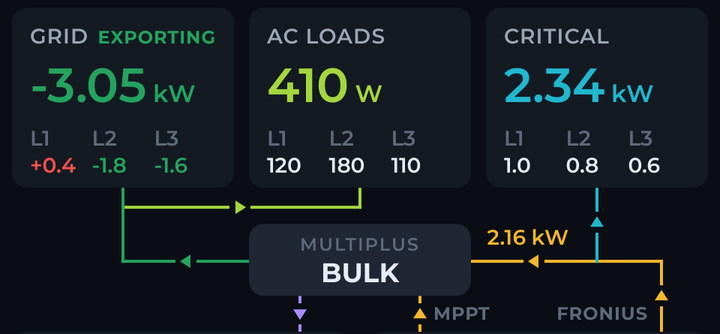
When your PV inverter produces more than your critical loads use, the line through the inverter/charger reverses and shows the power flowing back to the battery or grid.
PV inverter history
Fronius and other PV inverter production is recorded and included in daily totals, history charts and self-sufficiency. On the stock GX, PV inverter data is live only.
Charts instead of lists
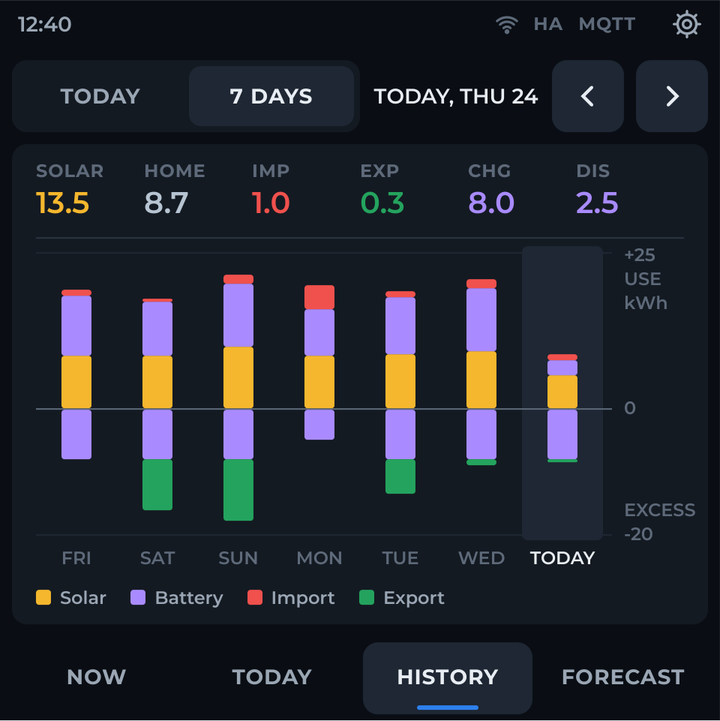
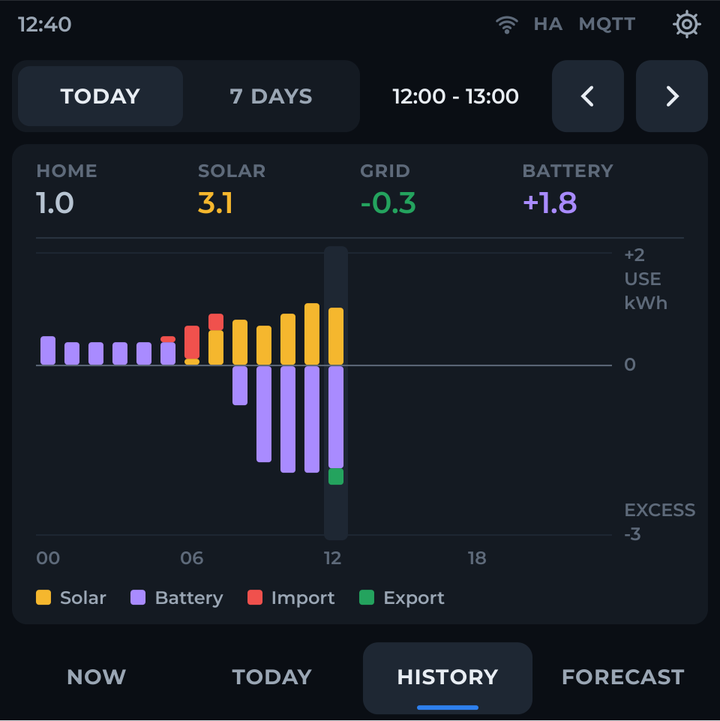
Solar charger history appears as hourly and 7-day charts combined with every other source, instead of a list of daily values read from the charger.
A full daily energy balance
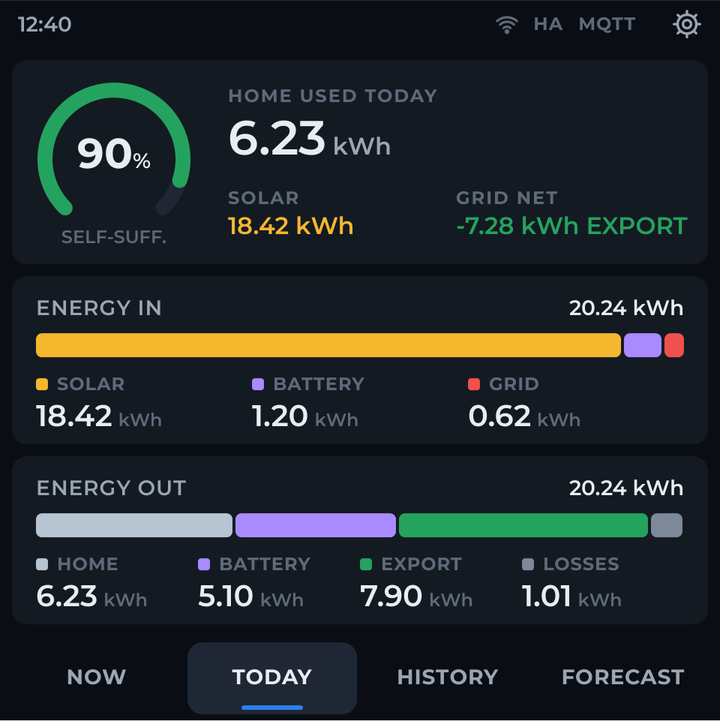
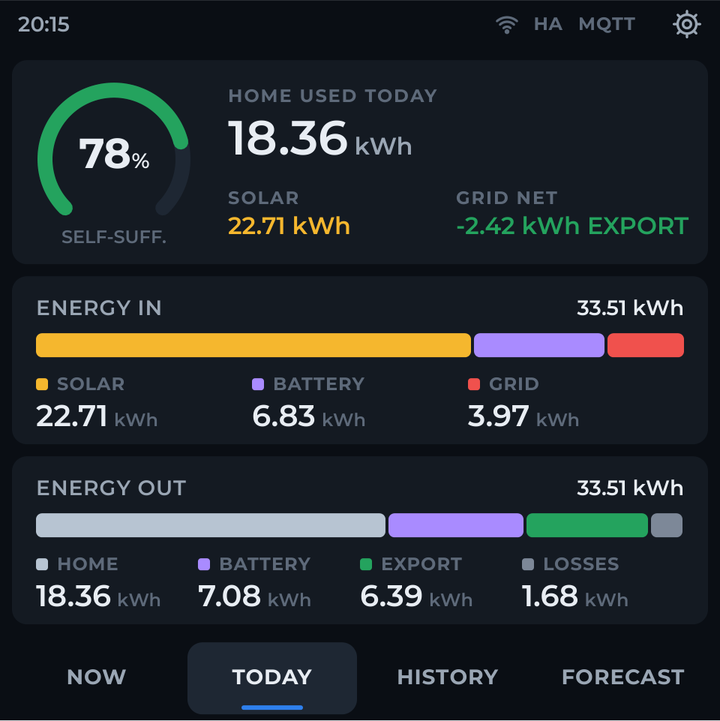
Energy in (solar, battery, grid) against energy out (home, battery, export, losses). The stock display has no on-device equivalent.
Forecast on the wall
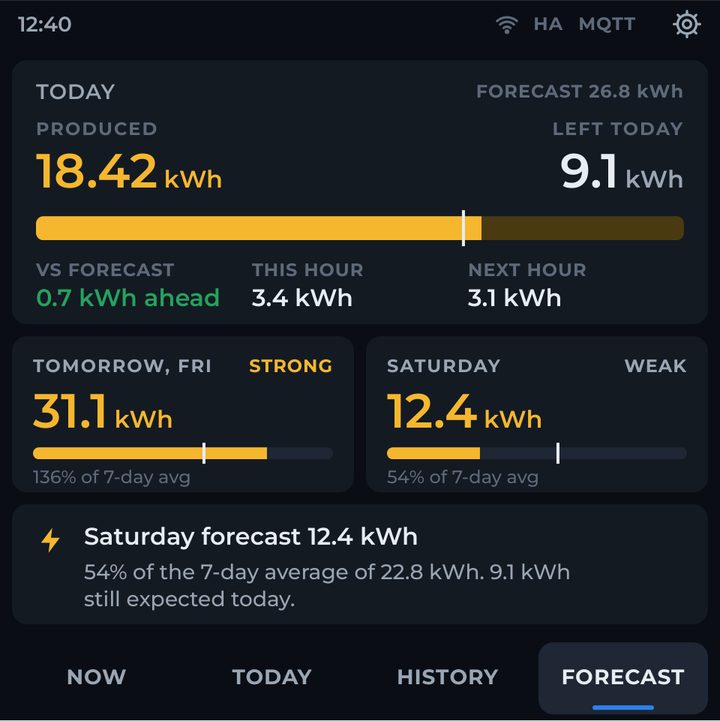
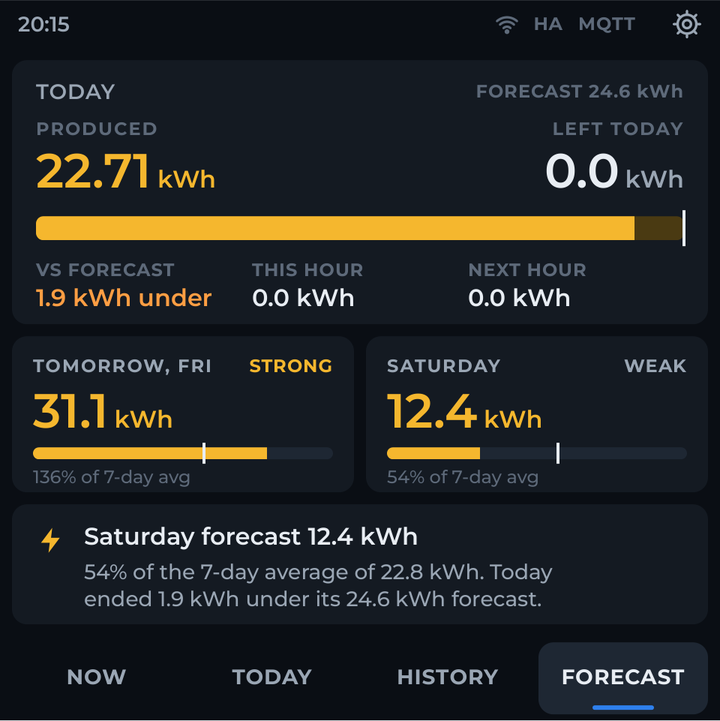
Today’s production against your forecast, with an “expected by now” marker, and the next two days compared with your 7-day average.
Mount it anywhere
The panel connects over Wi-Fi, so it needs no cable to the GX device. Put one in the hallway, the kitchen or the technical room, or several.
Four screens
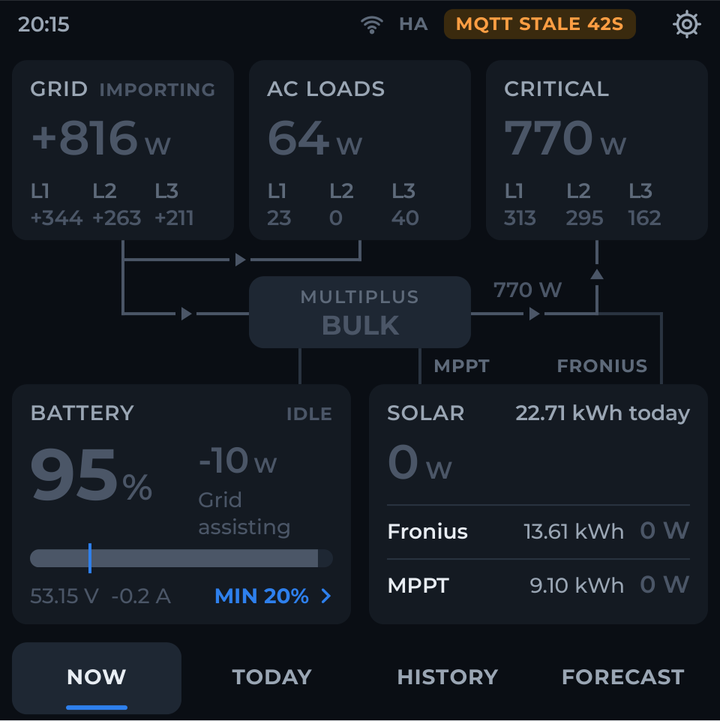
- Now — live power flow between grid, AC loads, critical loads, inverter/charger, battery, solar chargers and AC solar, with per-phase values for the phases you have. Grid import shows red, export green.
- Today — self-sufficiency, home consumption, and where the day’s energy came from and went.
- History — today by hour and the last 7 days: solar, home, grid import/export and battery. Tap any bar for exact values.
- Forecast — today’s production against your solar forecast, plus tomorrow and the day after (needs a forecast provider in Home Assistant).
Details that matter
Fits your installation
Single-, split- or three-phase, any number of solar chargers and PV inverters (including none), with or without a battery. Phases and devices you don’t have are hidden.
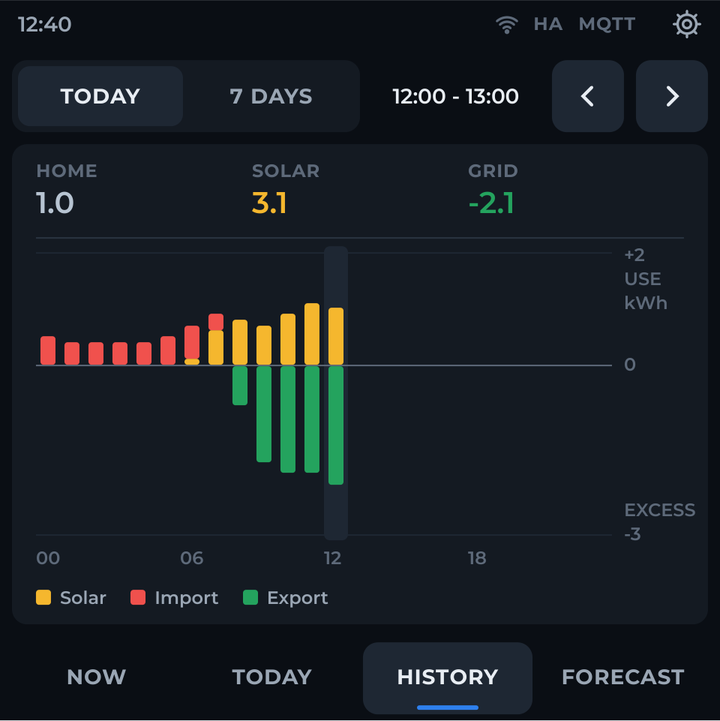
Stale data is obvious
Values dim after 30 seconds without updates, per data source, and show “---” before the first reading. Wi-Fi, Home Assistant and MQTT status are always visible in the status bar.
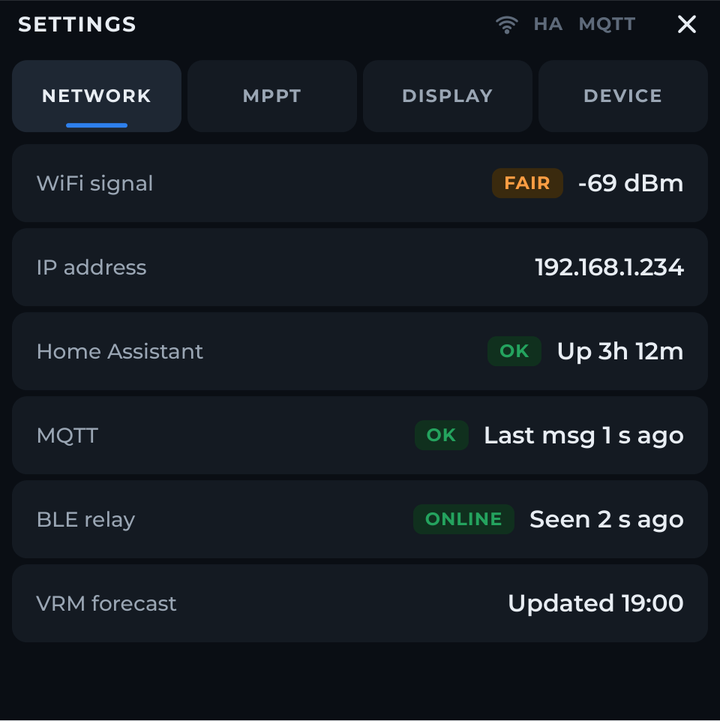
Settings and diagnostics
Wi-Fi, Home Assistant and MQTT status; brightness and scheduled night dimming; firmware info and hold-to-restart.
How it works
You buy the code, not the hardware. This is a digital download: the ESPHome source for the panel, built for your system. The Home Assistant integration it relies on is a free download.
Press Configure: our free Home Assistant integration discovers your Victron equipment on your own network. You upload its result and a few panel settings, review, then buy. Your kit appears in My Files once your order is confirmed. The display itself is not included — bring your own Guition ESP32-S3-4848S040.
You will need
- A Guition ESP32-S3-4848S040 4-inch touch display
- A Victron system with a GX device (such as a Cerbo GX) publishing MQTT to Home Assistant — see Connect Home Assistant MQTT to a Victron GX
- Home Assistant with MQTT and Recorder, and our Clevr Victron integration (free, included in the configurator)
- Optional: solar forecast sensors in kWh (e.g. Forecast.Solar or VRM)
- ESPHome, to compile and flash the panel yourself — the kit is source and configuration, not a compiled firmware
- Wi-Fi and Home Assistant kept powered — in off-grid or backup setups, put your router and Home Assistant server on backed-up power